

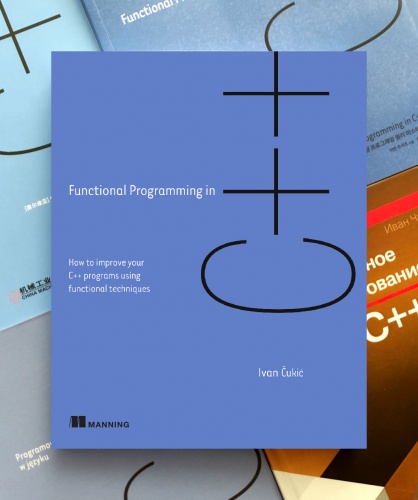

I’m getting old (though, not as old as the image below), and I miss the good old days when using Linux was more difficult, but when every system in a Linux desktop session was simple.

This was before polkit, systemd, … Even before DBus and PulseAudio. All of these systems are cool and all, but I sometimes miss the simplicity of “everything can be a shell script”.
I’ve been playing around with something that made me investigate how the Plasma session is started, and if I can replicate it without significant issues with a simple shell script or something else.
It turns out it is not that difficult of a process, just a bit convoluted.
Your chosen display manager starts startplasma. A DBus
session is created and startplasmacompositor (and
kwin_wayland) is started. Then plasma_session
starts. And it starts kded6 and ksmserver.
There are a few other things that are started as well (like
kactivitymanagerd), but they are started
automagically by DBus when another component tries to use their
DBus API.
Moving to a shell script
In the old days, there was just a simple shell script called
startkde which set the environment variables and started
all the needed processes for a working KDE (and later Plasma) session.
It wasn’t pretty, it wasn’t efficient, but it did what it needed to.
Se I decided to try to reimplement a rudimentary version of that script for the new Plasma.
These are the basic environment variables you’d want set before running a Plasma session (or other UI applications):
# XDG
export XDG_SESSION_TYPE=wayland
export XDG_CURRENT_DESKTOP=KDE
export XDG_SESSION_DESKTOP=KDE

# Qt
export QT_QPA_PLATFORM=wayland
export QT_WAYLAND_SHELL_INTEGRATION=xdg-shell
export QT_WAYLAND_DISABLE_WINDOWDECORATION=1
export QT_AUTO_SCREEN_SCALE_FACTOR=0
export QT_WAYLAND_RECONNECT=1
export QSG_RHI_BACKEND=vulkan

# KDE
export DESKTOP_SESSION=plasma
export KDE_FULL_SESSION=true
export KDE_SESSION_VERSION=6
I placed this into a seaprate script called env.sh as it
is useful for testing to be able to initialize the same environment in a
shell outside of startkde.
Apart from these, if you have some custom installation paths for Qt
or KDE things, you should also set PATH,
XDG_DATA_DIRS, XDG_CONFIG_DIRS,
QT_PLUGIN_PATH, QML2_IMPORT_PATH and
QT_QUICK_CONTROLS_STYLE_PATH.
If you have any custom environment variables defined in
~/.config/plasma-workspace/env, you should add them here as
well (or source all the files from that directory).
For the main script, just source env.sh, run
dbus-update-activation-environment --all and start all the
session components mentioned above:
source env.sh
dbus-update-activation-environment --all
kwin_wayland --drm &
KWIN_PID=$!
sleep 1

export WAYLAND_DISPLAY=wayland-0
kactivitymanagerd &
ksmserver &
kded6 &
plasmashell &
krunner &
# other things you want started along with Plasma

wait $KWIN_PID
The sleep 1 is evil and there are better ways to check
if wayland-0 became available, but this is a quick and
dirty script after all. And the original startkde script
also had some sleeps in it.
The only thing remaining is to create a session file that your
display manager can use, and you’re good to go
(/usr/share/wayland-session/shellscript-based-startplasma.desktop)):
...
Exec=dbus-run-session -- /path/to/the/script.sh
...
This seems to work without important issues, it just skips the splash
screen which I can live without (wow, ksplashqml
is 15 years old…).
I didn’t test it for too long, as I quickly replaced this shell
script with a dinit-based setup, but more on that in the
next post.