I always liked to keep the things clean, so the idea of having
development environments for both KDE SC 4.x and KF5 on the same machine
was not something that thrilled me. Apart from that, when I realized my
versions of mesa+xcb are crashing the new plasma, I decided to go to the
other side - the weird side.
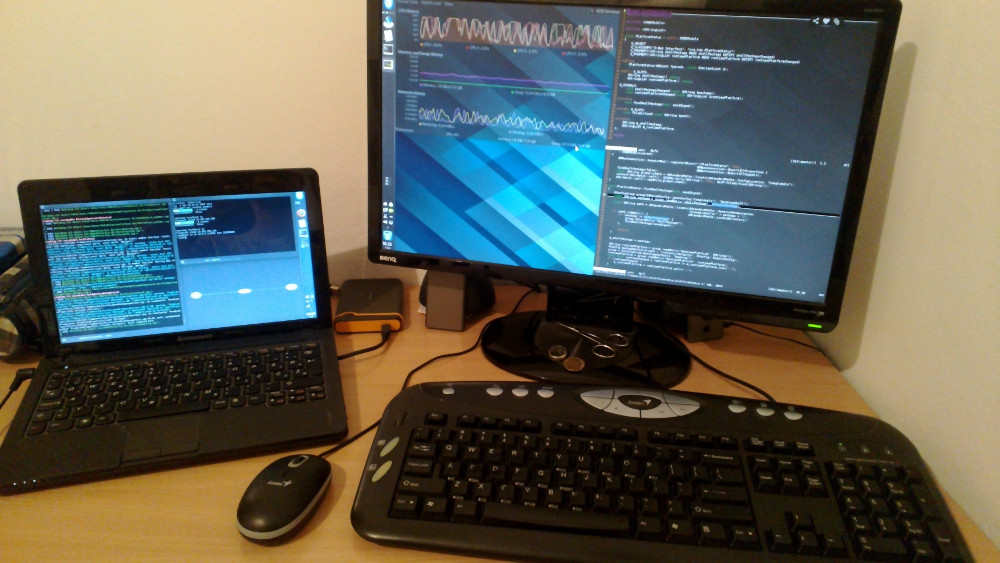
My laptop is now dedicated to the new plasma developments, while my
main system remains on the 4.x branch.
My Setup
The problem is that the laptop is much slower than my main machine,
has a small screen and keyboard which makes writing code on it painful.
That is why I don’t use it directly - I work on my main system, while
everything executes on the little guy. Everything, but compilation.
Thankfully, the icecream distributed
compilation system works without a glitch on any distribution although
it was created by opensuse KDE people (kudos!).
I have to say that this is perfect - I can crash anything ranging
from kded to kwin and plasma without interrupting my workflow, and can
test plasma on a slower device so that I don’t introduce some big
performance issues that I wouldn’t even notice on a real computer.
Since we are not using kao:ResourceScoreCache anywhere in core KDE
software, Vishesh asked me to disable pushing those into Nepomuk.
This post is aimed to 3rd party developers that might have been using
the RSC in their software or relying on file/document/resource scoring
related to activities in any manner.
If you are one of those, contact me, and we’ll see whether we can do
something about it that will satisfy both you and Vishesh :)
Me again. I haven’t been online for a week - went on some pub crawls
in Dublin
) - so I haven’t been able to reply to the comments to my last post
which showed some nice things coming to Plasma.
BSmith1012: _I love the simplicity and extra effort
you put into making it flexible. I know how much you hate icon views,
and yet still made it possible to use in your example, so I appreciate
that.
http://forum.kde.org/viewtopic.php?f=83&t;=89572
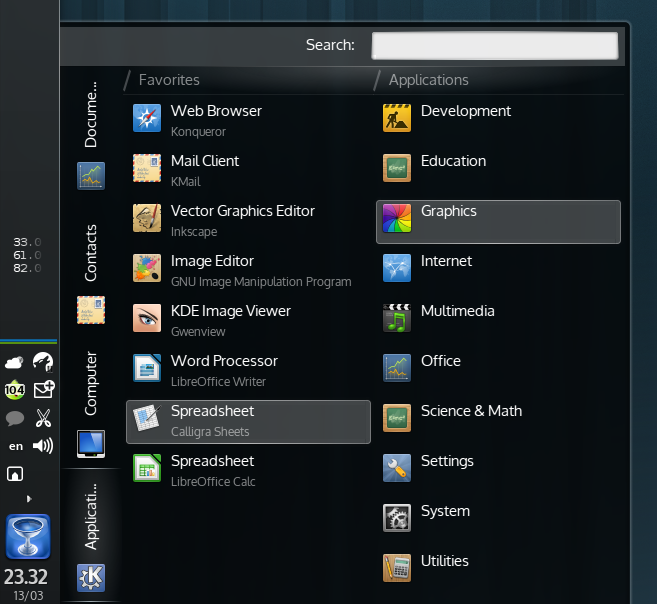
I posted this in the kde Brainstorm ages ago. If you release
something like the screenshot that can include all of my favorite
applications as Icons, I’d prolly be happy with that and I feel like
many others will appreciate it as well. Thanks for all of the hard
work!_
Answer: True, I’m not a fan of icon views, but there
were a lot of requests to have those in both lancelot and kickoff. This
didn’t take much effort now that we have QML. When this is finished, it
will be rather easy to recreate kickoff, kickoff with icon view, or any
other launcher you are used to. I do intend to create a few different
layouts that will be shipped by default with the main launcher.
Fitzcarraldo:Lancelot (currently 1.9.5) is my
launcher of choice, so I am interested to read about Lancelot 2. Can you
give us a rough idea when Lancelot 2 might be released?
Answer: I’m not sure when it will be released. I
don’t really expect it for the next version of KDE Plasma. I might
publish a preview version out-of-kde-sc-schedule for testing
purposes.
sir_herrbatka:Where the code is hosted? I would
like to test it.
Answer: The code is currently at kde:scratch/ivan/lancelot-qml. The main
applet is mostly for testing the infrastructure I’m making. In terms of
features, it is nothing close to the current version of Lancelot, though
it does look similar.
The important thing is that it will not screw up your regular
installation - the applet is differently named.
There are some news in the Plasma, Lancelot, Shelf, QML components,
blah blah whoop whoop land. As some of the people have noticed from the
previous screenshots, I’ve begun working on a QML port of Lancelot.
The Launcher building
toolkit
In Lancelot 1, I decided that it would be awesome to allow people to
put parts of it on the desktop or panel or wherever even without using
the Lancelot menu. Those were implemented as the Shelf (formerly known
as Lancelot Parts) applet.
This time, for what will be known as Lancelot 2 I decided to go one
step further - to break everything into QML components, be it data
models or UI elements.
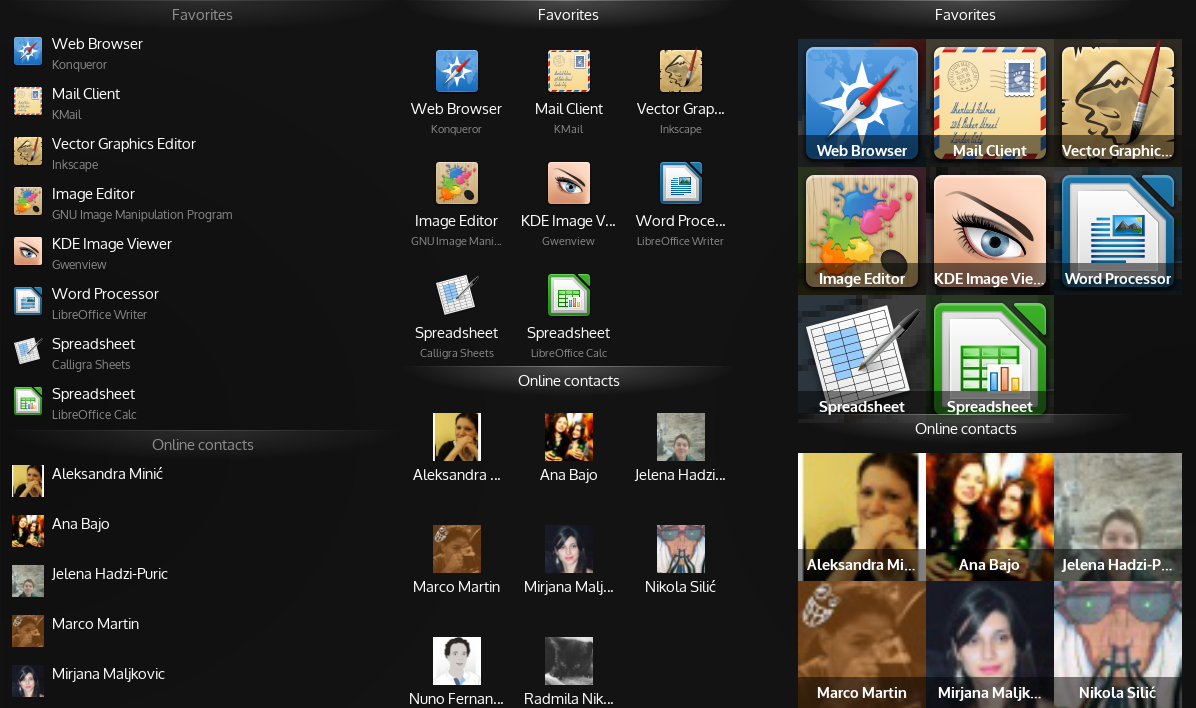
Lancelot UI Components
Now, you need only a few lines of QML to replicate the same
functionality of the Shelf applet (the first column in the screenshot).
The second is essentially the same, but uses the IconView.
You don’t need to stop there - you can create custom widgets and pass
custom delegates (third column), custom item views (all the models have
the same API) etc.
Lancelot specific
The menu itself is also going to be as changeable as possible - now
that the UI is based on QML, the users will be able to create different
layouts, and share them on the kde-look.org. So, for
anyone who desired a simpler menu, a menu that shows the items in a grid
of icons, and not in a list, for anyone who … I can only say - it will
be possible.
It will even be possible to create a telepathy quick-send-message
applet if you want to.