I have been honoured by the voters for the upcoming Meeting C++
conference. My submission got the most votes for the
popular track without me whipping the votes*.
I have to say that it will be awesome to have the opportunity (and
challenge) to speak at the same location where the great Scott Meyers
will be the keynote speaker.
If you are close to Berlin in December and love C++, I guess there is
no better place to be.
(*) I’ve been waiting to use this phrase since I first saw the “In
the loop” and “House of Cards” :)
Published
in the Prog C++ section,
on 18 April 2014
There was a post recently about running a static code analysis tool
on Qt 5 with some rather cute results. The main
purpose of the post is to advertise the tool used, but it does make a
nice point of how careless we can be when writing the code.
Since KDE is a Free/Open project, we don’t usually have the necessary
finances in order to be able to use the tools like the one linked above.
Fortunately, not all is grim. The great people at Clang, apart from
making one of the best C++ compilers, provide us with a few tools as
well.
I’ve written about clang-format some time ago. Now, it
is the time for another, a bit younger project - Clang Analyzer.
What is it?
The Clang Static Analyzer is a source code analysis tool that
finds bugs in C, C++, and Objective-C programs. The analyzer is 100%
open source and is part of the Clang project. Like the rest of Clang,
the analyzer is implemented as a C++ library that can be used by other
tools and applications. ~ from the project’s website
It tries to analyze the different execution paths of your code and
try to detect whether some of them can lead to problems.
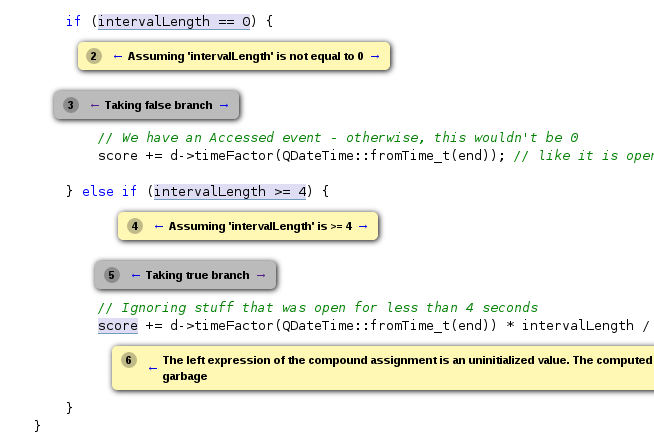
As an example, I’ve used it on KActivities. And I got a
false-positive, but a very reasonable false-positive. Namely, one
variable was not initialized when declared, and as far as the analyzer
is concerned, it might have been left uninitialized till its insertion
into sqlite.
In reality, it was initialized in a range-for loop which is
guaranteed to have at least one iteration, which the analyzer could not
have known. It took me more than a minute to explain to myself that the
variable can not be uninitialized, so I can not blame the the static
analysis for the false alarm.
clang-analyzer
How to use it?
At the moment, it does not have a very sophisticated mechanism of
execution. It follows the usual pattern of wrapping the compiler
commands (similar to icecream, colorgcc etc.).
You need to set your build to use the wrapper instead of the actual
compiler.
Lets say that you have installed Clang to /usr/local and copied
the llvm/tools/clang/tools/ directory to /usr/local/share/clang/ (the
analyzer is not installed by default, so you need to copy it
manually).
You can create a separate build directory (in my case
/opt/kf5/build-analyzer/path/to/your/project) and invoke cmake from
there like this:
cmake /path/to/your/project's/sources \
    ...options you normally pass to cmake ... \
    -DCMAKE_CXX_COMPILER=/usr/local/share/clang/tools/scan-build/c++-analyzer
After cmake finishes its magic, run the analyzer:
/usr/local/share/clang/tools/scan-build/scan-build \
    --use-analyzer=/usr/local/bin/clang++ make
It will compile your project and analyze it at the same time. It will
take much more time than an ordinary compilation run, but that is to be
expected because of all the additional work it does.
To see the results, you need to run the scan-view command which will
start a small web-server and point your web browser to it. You’ll be
able to browse the detected issues from there. It nicely displays the
sequence points that lead to the detected problem.
Published
in the Prog C++ section,
on 18 April 2014
In my previous
post, I wrote about a plugin for switching between header and source
files (with the support for private classes) for C and C++.
The plugin has evolved for the last two days. It gained another mode,
which will also be usable outside of the C/C++ world.
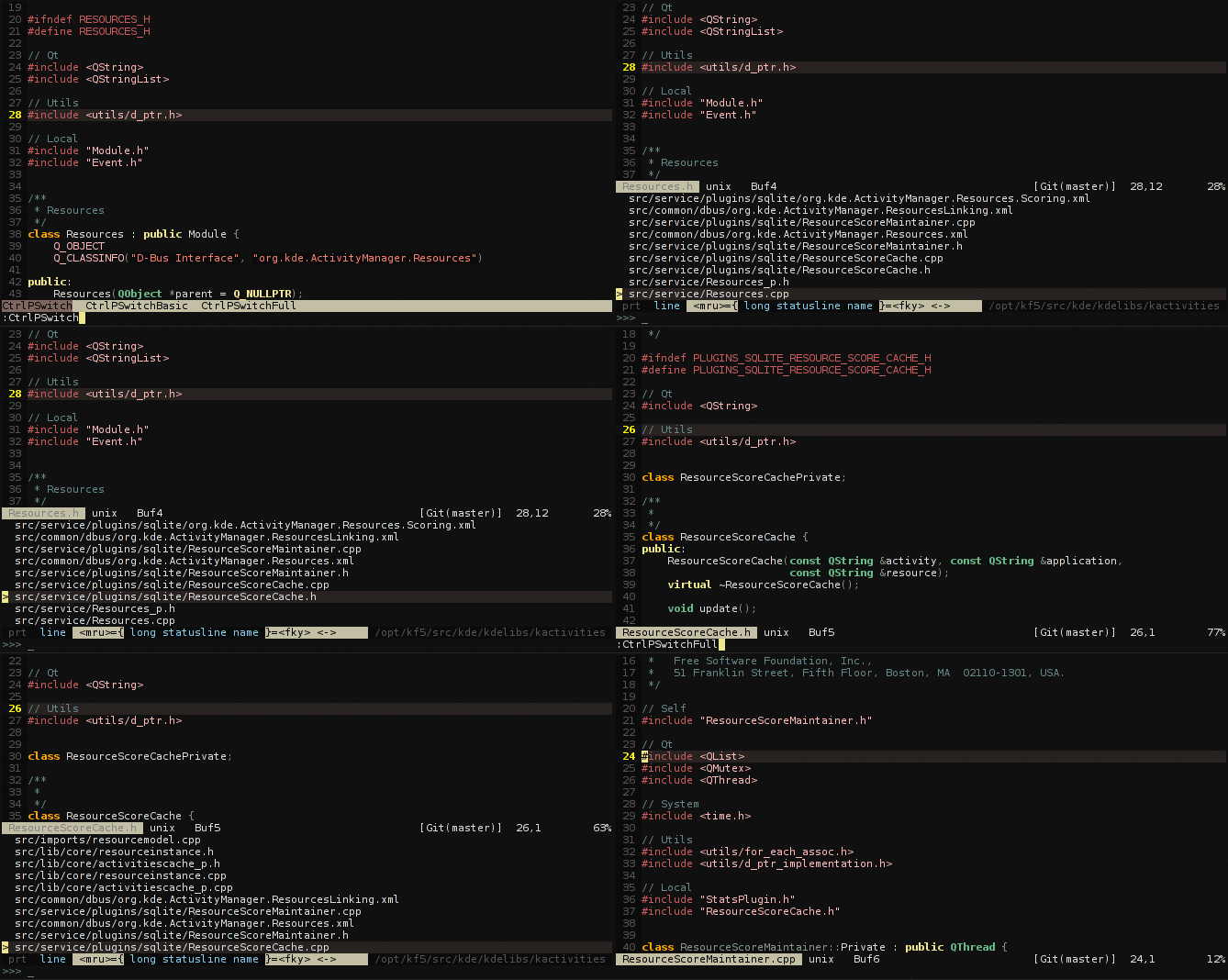
Full mode - Finding related files based on the words in the file’s
name
If you use the CamelCase, or the snake_case naming scheme for your
files, the plugin will extract the words from the current file’s name
and search (using the find command) for the files that have any of those
words in their names.
For example, for ResourceActor.scala, it will return:
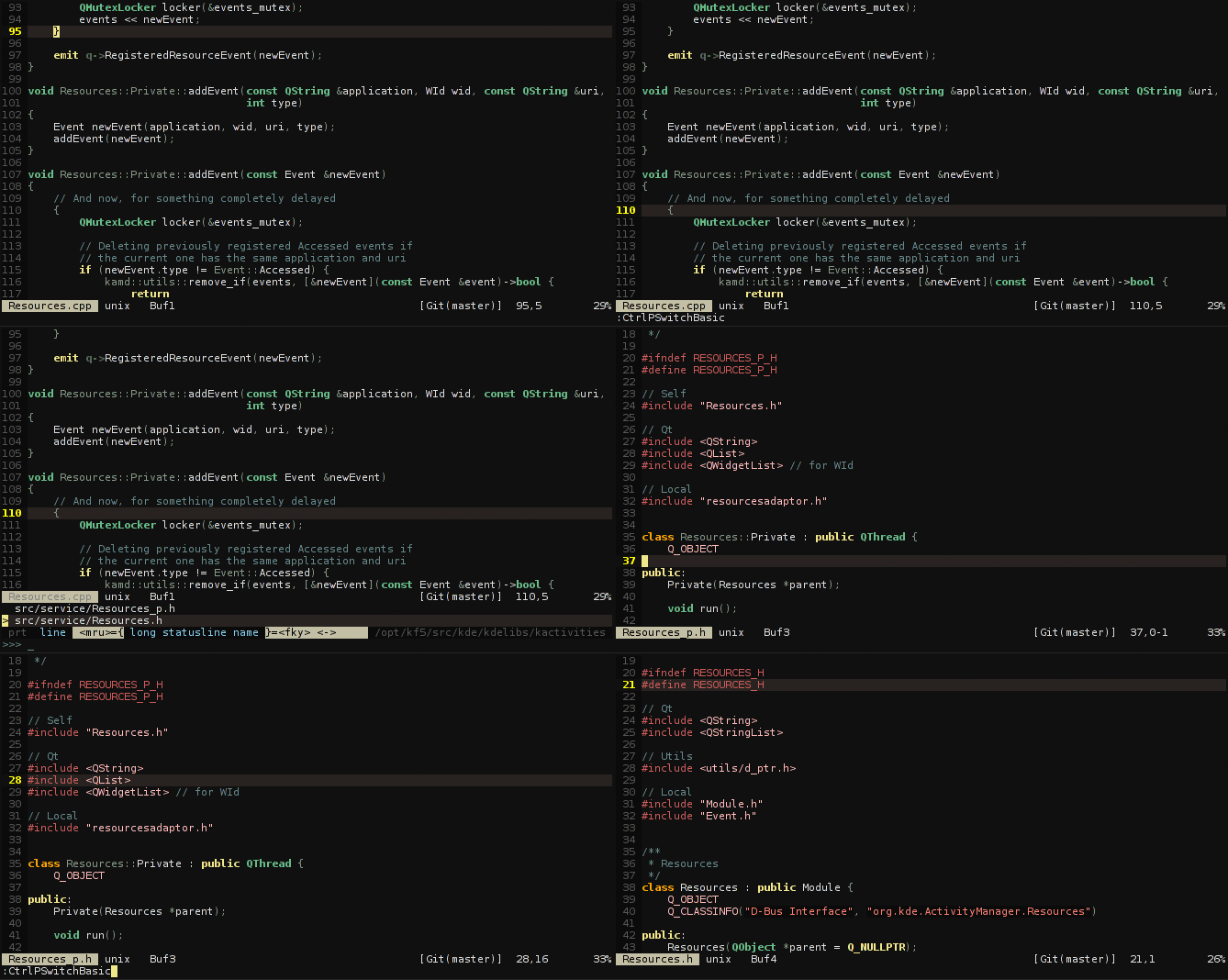
I’ve been using the vim-fswitch plugin for switching between
.h and .cpp files for a long time now. The thing I was really missing
was the inability to switch to private headers and implementations
(filename_p.h and filename_p.cpp)
Recently, I discovered the (more than awesome) CtrlP plugin. I am not going to explain
here what it is - I strongly advise you to check it
out!
I’ve written a small extension for it which provides the
header/source/private files switcher.
Published
in the Prog C++ section,
on 10 April 2014
One of my favourite C++11 features are lambdas.
The syntax is a bit cumbersome, but it was the best approach the
committee could take without creating a new sub-language. Every part of
the syntax has a reason for why it exists.
But, it still is a bit ugly, and can influence readability of the
surrounding code quite a bit.
Lambdas in C++11
The thing that annoys me the most is the lambda head - the capture
block and the arguments it takes. Those are very
important when writing the code, but not (that much) when reading
it.
My solution for this? The conceal feature of Vim.
C++11 Lambdas concealed
The good thing about lambdas is that they are (meant to) be used as
local anonymous functions. That means that, while reading other parts of
the code, you don’t actually need to know what the lambda is capturing,
nor which are its arguments. So, it doesn’t hurt to hide them,
right?
Naturally, when you want to edit the lambda head, Vim shows the
actual contents of line, and not just some strange Greek symbol. :)
This also lowers the desire to use the potentially problematic
[&] and [=] as the capture block, instead of explicitly capturing
the variables that you need.
Edit: The code to achieve this:
.vimrc:
    set conceallevel=1
.vim/after/syntax/cpp/cpp.vim
    syn match cpp11_lambda "[[a-zA-Z0-9&= ,]*] *(.*)( *{)\@=" conceal cchar=λ
    syn match cpp11_lambda "[[a-zA-Z0-9&= ,]*]( *{)\@=" conceal cchar=λ